Installation

To install the module, follow these steps:

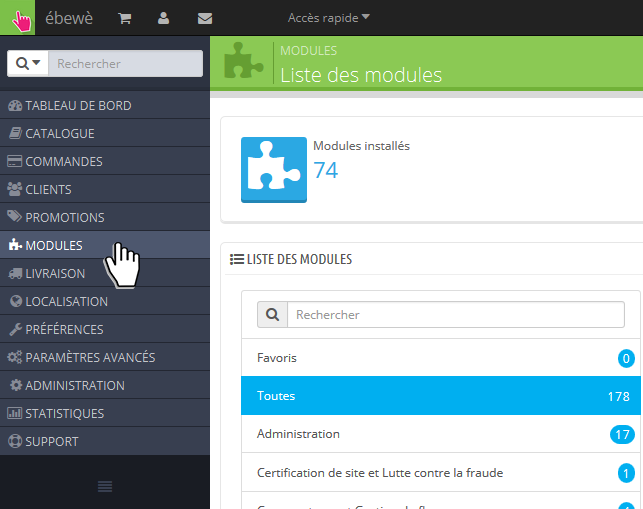
First, go to Modules page in your Back-Office

Go to Modules page

Then, click on Add a new module

Add a new module

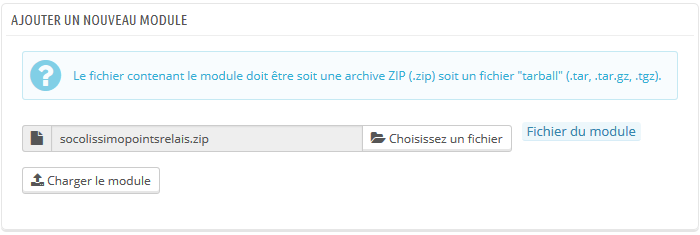
Choose the file on your computer (step 1) and Upload the module to your shop (step 2)

Choose and Upload the module

Click on Install

Install the module

Installation is complete ! You can now go to Configuration